Monochrome Gallery

Monochrome Gallery

Get this theme

Get this theme and many others by becoming a member of Graph Paper Press. Both free and paid memberships are available. Paid memberships start at $49 for all themes and includes access to our member-only support forum, screencasts, and our member-only theme tutorial section. You can unsubscribe at anytime and keep our themes forever.


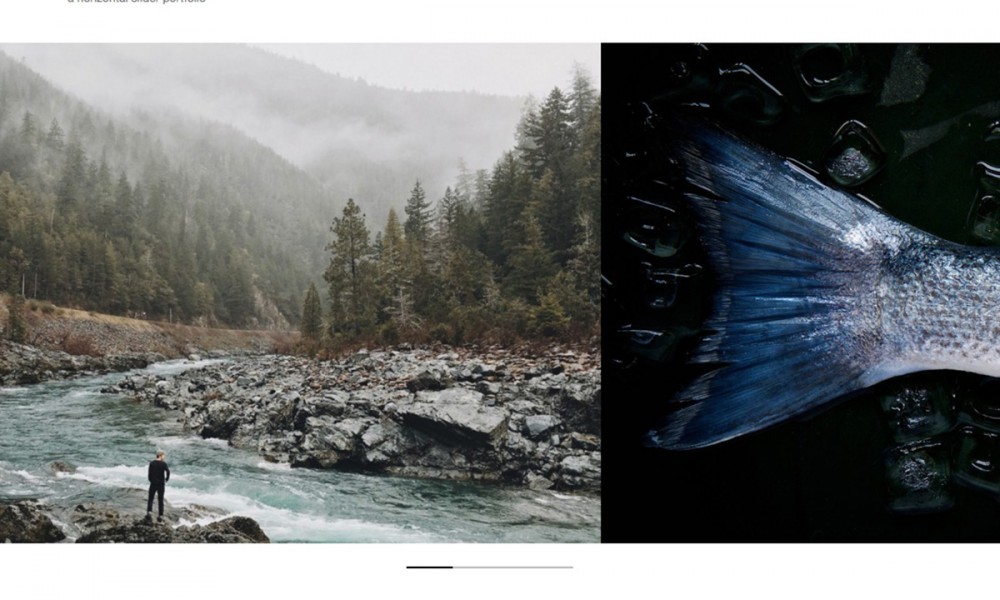
Monochrome Gallery is a free widgetized theme for Wordpress packaged with an author archives page, AJAX slideshow, categorized posts with thumbnails on the homepage and a CSS framework to aid in customization.

Installation

1. Unzip the downloaded file
2. Upload the entire “Monochrome Gallery″ folder to your “/wp-content/themes/” folder
3. Log in into your WordPress control panel
4. Click the Presentation tab
5. Select the “Monochrome Gallery” screenshot

Configuration
  1. GETTING STARTED: By default, the slideshow in Monochrome Author displays the most recent posts. The number of posts displayed in the slideshow can be controlled via your WP admin panel by clicking Options > Reading. The bottom row of five posts pulls in the latest post in five different categories, which you can specify in index.php. Simply open up index.php in the Theme Editor and look for the following line:

    // enter the IDs of the categories to display
    $display_categories = array(’3′,’4′,’5′,’6′);

    Change 3, 4, 5, 6 to the category id’s of the categories that you want to display. You can find your category id numbers by clicking Manage > Categories in your WP Admin Panel.

    To change the final fifth category, scroll down on index.php and locate:

    // enter the IDs of the categories to display
    $display_categories = array(’7′);

    Change it as described above.

  2. PHOTOS & CUSTOM FIELDS: This theme uses custom fields to manage all photos and thumbnail photos. In your Wordpress settings, you can change the dimensions on both thumbnail and medium sized photos. Change the thumbnail width to 128 px wide by 128px tall. Change the medium photo size to 575 px wide. Save the settings. Wordpress will resize every photo uploaded to the dimensions described above. After uploading the photo into Wordpress using the media uploader, copy the link to this thumbnail photo and paste it into the custom field value, with a key called “thumbnail.” Copy the link to the medium photo (575 pixels wide maximum) and paste it into the custom field value, with a key called “photo.” Here is a screenshot of all properly filled out fields.
  3. STYLES.CSS: Unlike most Wordpress themes which plug all the css in one file called styles.css, Monochrome utilizes the Blueprint CSS framework to help separate positioning, typography, forms and what I’ll refer to as custom or Monochrome specific styles. To edit all custom Monochrome specific styles, you’ll need to edit the file style.css in your wp/wp-content/themes/monochrome/ directory.
  4. SIDEBARS: 100% Widgetized baby!
  5. COMPATIBILITY: For Wordpress 2.3 and up.

ABOUT BLUEPRINT

This theme utilizes a CSS framework called Blueprint. Who is credited for the ideas behind Blueprint? Some of the best designers on the web. They include Jeff Croft, designer for Blue Flavor, Khoi Vinh, design director for NYTimes.com, Nathan Borror, Christian Metts, Eric Meyer, Wilson Minor, Angus Turnbull, Olav Bjorkoy and a few others. Most major websites use some form of css framework to allow for rapid, consistent development and design. Take the Blueprint 101 course to learn about all the possibilities.

  1. [...] Tugend, und aus meiner Schreibfaulheit ein Konzept gemacht. Mit Wordpress 2.7.1 und meinem neuen Lieblings-Theme stehen die bunten Bilder, die in den letzten Monaten den Haupt-Content hier darstellen, auch [...]

  2. Simon Potter says:

    Is there a way to have more than 1 photo displayed in the post?

  3. Lenxue Ben says:

    [...] 预览 | 下载 [...]

  4. Mike Killion says:

    How do I get categories to show up in order on the bottom – also, how do I get a thumbnail to show like in the demo?

    I added categories but they don’t repeat on the bottom with the most recent post for the category.

    Please help. Thanks!

  5. Aa says:

    Hi,
    I am unable to get the categories to show up in the bottom of the blog. I only have 5 categories so they all should show up. However, only 2 showed up.

    This was working before but after I deleted 3 categories and added 3 new ones, the new categories doesn’t seem to work. The 2 that are working are the original ones that I didn’t delete/rename.

    It appears that only the latest post is showed in the bottom of the blog and not the previous 5 post.

    Any help appreciated.

  6. Avangelist says:

    I really don’t get how the slideshow works? Is it pulling from a directory? I have 3 years worth of posts, I don’t want to have to rebuild.

    Can I choose a specific series of photos?

  7. [...] Monochrome Gallery: Monochrome Gallery is a premium theme for all types of artwork that needs to be shown off. Unlike some of the other offerings, this one will allow you to add quite a bit of text about the work so that you can better explain any finer details the readers may need to know while browsing. [...]

  8. Lee Walsh says:

    I would like a little help modifying the registered user notice that is emailed to the admin – I want to add the IP of the user to the notice … can you give me the steps necessary?

    Thanks for any help…

  9. HDShark says:

    Great theme. This theme has been added to my wish list and will be thinking about purchasing.

  10. العاب says:

    thnks

  11. JamesD says:

    Thanks for the useful info. It’s so interesting

  12. arquipixel ark says:

    Hello everyone!
    I installed this template via Filezilla to wordpress themes folder. the problem is the page seems to have some errors.

    this is the page http://www.mdrn.co.cc/wordpress/

    The photo’s preview don’t work, i tried other templates from this site, and the same problem insists to apend.
    Can someone help me about the configuration to resolve it?
    Thanks, i hope to receive a feed back from someone who could help me on this…
    :)

  13. There must be more to this story….

  14. [...] the rest here: Monochrome Gallery | Graph Paper Press Share and [...]

Leave a Reply