
Mixfolio Now Available on WordPress.com


We’re stoked to announce that our Mixfolio theme has been chosen as one of the latest additions to the collection of themes available at WordPress.com.

If you’re a WordPress.com user, you can read more about its features on the WordPress.com Theme Showcase or dive right into previewing the theme on your blog from Appearance → Themes. If you’re already a Graph Paper Press member using the WordPress.org platform, you can download the theme here.

A big shout-out to Philip Arthur Moore, Lance Willett, and the rest of the Automattic Theme Team for porting Mixfolio into the WordPress.com platform. Their feedback has proven super duper helpful in how we build themes.

As a quick reminder, Mixfolio is a responsive theme, adapting to the screen sizes of iPhones, iPads and other mobile devices. It also supports five post formats, two custom menus and allows you to add a personal touch by uploading a Custom Header Image or by taking advantage of the Custom Background feature.
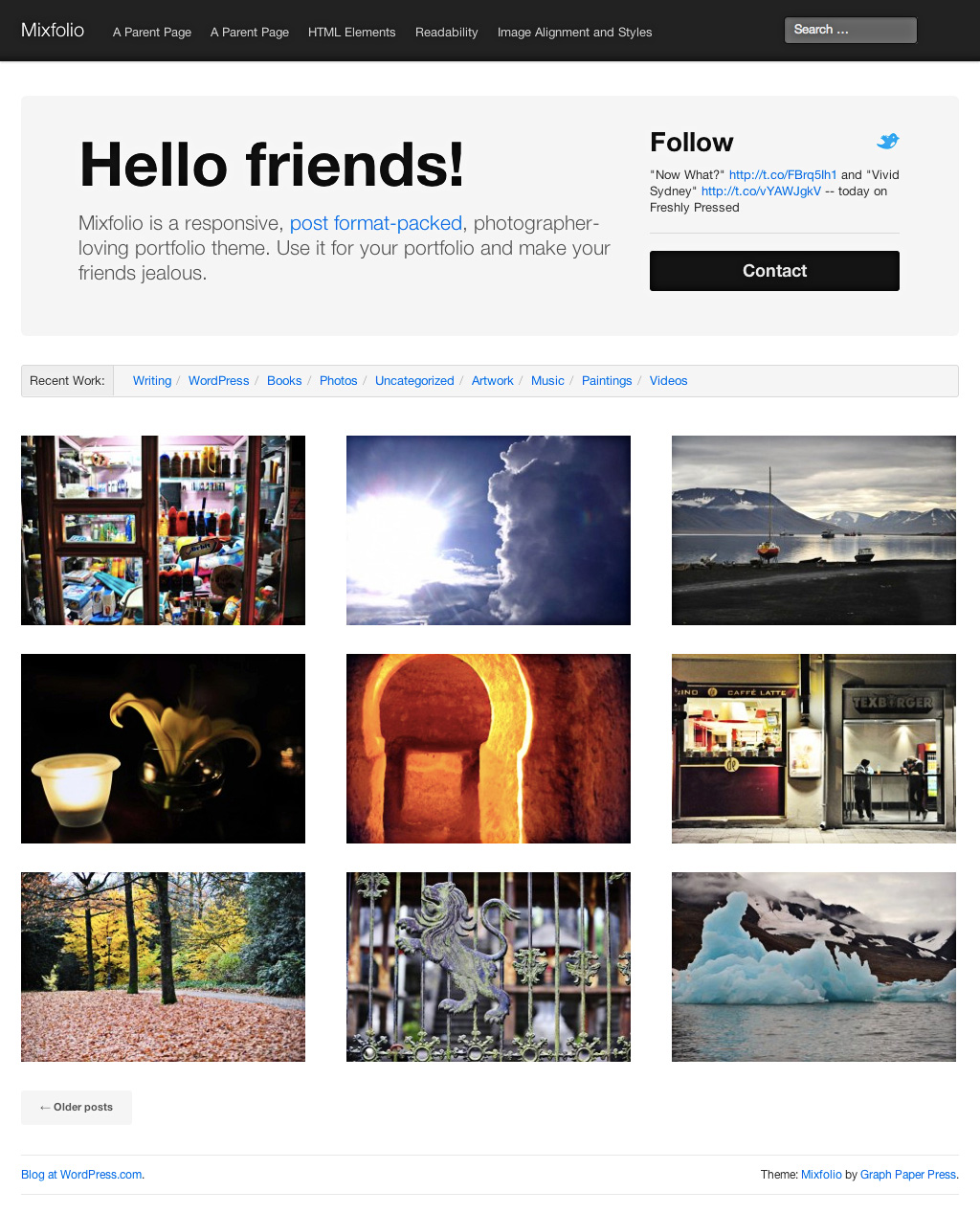
Mixfolio WordPress theme

This entry was posted in Blog. Bookmark the permalink.

Posted by , Marketing at Graph Paper Press

Rebecca's background is in design, and she currently resides in Washington, DC where she combines her love of art and marketing, and actively has a lot up her sleeve.

  • Blog

  • http://www.fzfz5.com/ 波西米亚长裙

    天气很热 注意休息

  • matt

    I really love the Mixfolio theme, but it seems to strip out embedded songs from bandcamp… any thoughts?

  • Ian Gotts

    Lov teh layout, but how to I make sure that the image in the blog is the featured image

  • http://twitter.com/anna_bki Anna Sircova

    something happened to the theme after the recent wordpress update (3.5.1) – I can’t set the featured image any more. any ideas how to fix this? much appreciated!

    • http://graphpaperpress.com Graph Paper Press

      Nothing changed. I’m guessing a plugin conflict or something?

      • http://twitter.com/anna_bki Anna Sircova

        I’ll run through the plugins, but it works with other themes, so it’s a bit strange I think

  • LordLiverpool

    I really like the Mixfolio wordpress theme. However if I make my the front page a static Home page rather than a blog then I lose the great options that originally attracted me to the theme. i.e. the welcome message, welcome area message and the contact details pop-up. I was hoping these features would remain on the home page. Is there a solution for this?

    • http://graphpaperpress.com Graph Paper Press

      You would need to customize your template files to include the welcome message and contact pop-up.

      • LordLiverpool

        Thanks once again, I will investigate and post back my results. Best Regards.

  • LordLiverpool

    Do GraphPaperPress respond to our comments?

    • http://graphpaperpress.com Graph Paper Press

      Yep, just not immediately.

      • LordLiverpool

        OK thank you :-)

      • LordLiverpool

        OK thank you :-)

      • LordLiverpool

        OK thank you :-)

  • seaseasea

    how do u change the name of the front page to something other than Home?

    • seaseasea

      and when using the Gallery post format, is it possible to enable tile thumbnails like this: http://blog.gojane.com/2013/01/31/gojane-lookbook-january-2013/

      thumbnails on my gallery tab are the default grid no matter what I do

    • seaseasea

      and when using the Gallery post format, is it possible to enable tile thumbnails like this: http://blog.gojane.com/2013/01/31/gojane-lookbook-january-2013/

      thumbnails on my gallery tab are the default grid no matter what I do

    • seaseasea

      one more thing.. is it possible to remove widgets on the standard post format?
      i’ve gone to the widgets pane and removed all widgets from the panel, but META search and something else still appear in post. :(

    • seaseasea

      heeeeeeelp!

  • Alexandra Mihalcea

    Hi, I love your theme, but I would love it even more if I could change the color of the navigation button from grey to black and when you hoover on top of it from blue to orange on this site : http://www.jaepelt.dk/Alexandra. How can I do this?

    Thanks!